Sorting through hundreds (or even thousands!) of IGI (International Gemological Institute) diamond certificate reports trying to find the perfect stone can be tedious. Thankfully, IGI very thoughtfully provide an API endpoint for those looking to find the hardcoded data from their certificate reports. And, interestingly, the data returned from the API is sometimes fuller than is shown on the certificate itself (for example, pavilion and crown angles are given for some fancy cuts, which are not normally shown on the IGI certificates themselves).
How then can we review bulk quantities of certificate data, whilst respecting IGI’s API WAF (Cloudflare) and rate limits? The below guide shows how I used a simple browser-based script to automate the process: it reads a list of certificate numbers from a text file, fetches their details from IGI’s API, and compiles everything into a downloadable CSV file. This can be done for a list of hundreds or even thousands of IGI certificates.
What Does the Script Do?
This script runs entirely in a browser using the DevTools console – no server setup and no external dependencies are required. It automates the process of fetching IGI certificate details and then compiles them into a CSV file for later review. First, it sets up key configuration options, including the IGI API endpoint, the delay between requests to avoid rate limits, the batch size for processing certificates, and whether to include a direct link to the PDF report in the CSV output. Next, it dynamically creates a hidden file input and prompts you to upload a .txt file containing certificate numbers, one per line. After reading the file, the script splits the contents into individual lines, trims whitespace, and ignores empty entries, treating each line as a certificate number.
To maximise coverage, the script normalises each certificate by generating variants – if a number starts with “LG”, it also tries the numeric version, and vice versa. It then sends GET requests to IGI’s API for each variant, cleans the JSON response by removing HTML entities and <br> tags, adds the original certificate number if missing, and optionally appends a direct PDF link. Once all data is collected, the script builds a unified CSV by combining all unique fields, ordering common fields first (like CERT, REPORT NUMBER, and CARAT WEIGHT), and properly escaping values for CSV format. Finally, it creates a Blob from the CSV data and triggers an automatic download of igi_reports.csv directly in your browser. To handle rate limits and avoid WAF or API throttling, the script processes certificates in batches and respectfully waits between requests and batches.
How to Run the Script
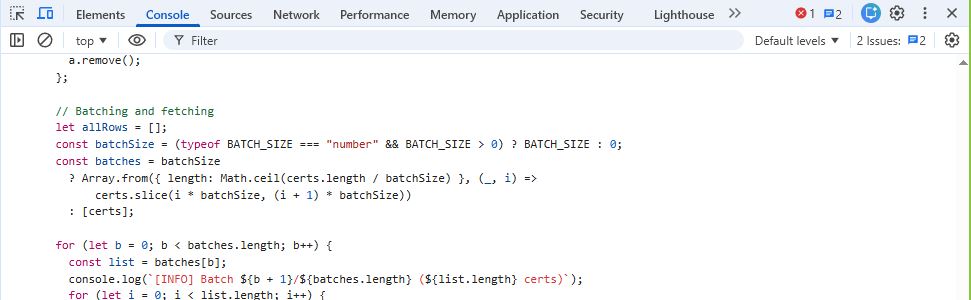
To get started, first prepare your certificate list by creating a text file named certs.txt and adding one certificate number per line, such as 578344353, 161497209, or LG789012. Save this file locally. Next, open Chrome (or any modern browser) and visit the IGI API output page for any random stone – this step helps satisfy Cloudflare’s bot protection. Whilst on that page, press F12 to open DevTools and navigate to the Console tab. Then, copy the full script provided below, paste it into the console, and press Enter. A file picker will appear; select your certs.txt file, and the script will begin fetching data, logging progress in the console. Once complete, the browser will automatically download a file named igi_reports.csv, which you can open in Excel or any spreadsheet tool for review.
Why This Approach over something “cuter” in Python?
In short, this approach is simple, secure, and efficient: it runs directly in any modern browser without installation, respects IGI’s WAF and rate limits, avoids external dependencies or server-side components, and processes large batches of certificates quickly, saving time and effort. I hope it will be of use for you too.
The Script
IGI Multi-Cert Fetcher
browser console tool · exports CSV
How to use:
Open the IGI website in your browser
Press F12 to open DevTools and go to the Console tab
Select all the code below, copy it, paste into the console and press Enter
Select your certs.txt file (one cert number per line)
igi_reports.csv will download automatically
Delay
500 ms
Batch Size
75 certs
PDF URL
Included
Output
igi_reports.csv
Script — select all & copy
(() => {
// === CONFIG ===
const API_BASE = "https://api.igi.org/ReportDetail.php?Printno=";
const DELAY_MS = 500; // delay between requests (ms)
const BATCH_SIZE = 75; // process in chunks; set null or 0 for all-at-once
const INCLUDE_PDF_URL = true; // adds PDF_URL based on REPORT NUMBER (viewpdf.php?r=...)
// Add a hidden file input and trigger it
const input = document.createElement("input");
input.type = "file";
input.accept = ".txt,text/plain";
input.style.display = "none";
document.body.appendChild(input);
input.addEventListener("change", async () => {
const file = input.files && input.files[0];
if (!file) { console.warn("No file selected."); return; }
const text = await file.text();
const certs = text.split(/\r?\n/).map(s => s.trim()).filter(Boolean);
if (!certs.length) {
console.log("[INFO] No certs found in file.");
input.remove();
return;
}
console.log(`[INFO] Loaded ${certs.length} certs from ${file.name}`);
// Helpers
const sleep = ms => new Promise(res => setTimeout(res, ms));
// Standard headers only (no secret key; Content-Type not needed for GET)
const headers = {
"Accept": "application/json"
};
const normalizeCandidates = cert => {
const out = [];
const upper = cert.toUpperCase();
if (upper.startsWith("LG")) {
out.push(cert);
const digits = cert.replace(/\D+/g, "");
if (digits) out.push(digits);
} else {
out.push(cert);
out.push("LG" + cert);
}
return out;
};
const cleanRow = (row, certUsed) => {
const cleaned = {};
for (const [k, v] of Object.entries(row)) {
if (typeof v === "string") {
// Normalize basic HTML entities and remove <br> tags
let s = v
.replace(/</g, "<")
.replace(/>/g, ">")
.replace(/&/g, "&")
.replace(/<br\s*\/?>/gi, "");
cleaned[k] = s.trim();
} else {
cleaned[k] = v;
}
}
if (!("CERT" in cleaned)) cleaned["CERT"] = certUsed;
if (INCLUDE_PDF_URL && cleaned["REPORT NUMBER"]) {
cleaned["PDF_URL"] = `https://api.igi.org/viewpdf.php?r=${encodeURIComponent(cleaned["REPORT NUMBER"])}`;
}
return cleaned;
};
const fetchOne = async printno => {
try {
const url = API_BASE + encodeURIComponent(printno);
const resp = await fetch(url, { method: "GET", headers });
if (!resp.ok) {
const body = await resp.text();
console.warn(
`[WARN] ${printno}: HTTP ${resp.status} ${resp.statusText}; body(start): ${body.slice(0, 140)}…`
);
return null;
}
let data = null;
try {
data = await resp.json();
} catch {
console.warn(`[WARN] ${printno}: 200 OK but non-JSON`);
return null;
}
const rows = Array.isArray(data) ? data : [data];
return rows
.filter(r => r && typeof r === "object" && !Array.isArray(r))
.map(r => cleanRow(r, printno));
} catch (e) {
console.warn(`[WARN] ${printno}: fetch error`, e);
return null;
}
};
const fetchForCert = async cert => {
const candidates = normalizeCandidates(cert);
for (const c of candidates) {
const rows = await fetchOne(c);
if (rows && rows.length) return rows;
await sleep(DELAY_MS);
}
console.warn(`[WARN] ${cert}: no data returned (invalid or blocked by WAF/rate-limits).`);
return [];
};
const unionFieldnames = rows => {
const preferred = [
"CERT","REPORT NUMBER","REPORT DATE","DESCRIPTION","SHAPE AND CUT",
"CARAT WEIGHT","COLOR GRADE","CLARITY GRADE","POLISH","SYMMETRY",
"FLUORESCENCE","COMMENTS","Inscription(s)","REPORT1_PDF",
"NO_OF_STONES","STONE_NO","Measurements","Table Size","Crown Height",
"Pavilion Depth","Girdle Thickness","Culet","Total Depth",
"PDF_URL",
];
const keys = new Set(preferred);
for (const r of rows) {
for (const k of Object.keys(r)) keys.add(k);
}
const ordered = [...preferred];
for (const k of keys) {
if (!ordered.includes(k)) ordered.push(k);
}
return ordered;
};
const toCSV = rows => {
if (!rows.length) return "";
const headersCsv = unionFieldnames(rows);
const escape = s => {
const str = s == null ? "" : String(s);
const needsQuote = /[",\n]/.test(str);
const esc = str.replace(/"/g, '""');
return needsQuote ? `"${esc}"` : esc;
};
const lines = [];
lines.push(headersCsv.map(escape).join(","));
for (const row of rows) lines.push(headersCsv.map(h => escape(row[h])).join(","));
return lines.join("\n");
};
const downloadFile = (name, text, mime = "text/csv") => {
const blob = new Blob([text], { type: mime });
const url = URL.createObjectURL(blob);
const a = document.createElement("a");
a.href = url;
a.download = name;
a.style.display = "none";
document.body.appendChild(a);
a.click();
URL.revokeObjectURL(url);
a.remove();
};
// Batching and fetching
let allRows = [];
const batchSize = (typeof BATCH_SIZE === "number" && BATCH_SIZE > 0) ? BATCH_SIZE : 0;
const batches = batchSize
? Array.from({ length: Math.ceil(certs.length / batchSize) }, (_, i) =>
certs.slice(i * batchSize, (i + 1) * batchSize))
: [certs];
for (let b = 0; b < batches.length; b++) {
const list = batches[b];
console.log(`[INFO] Batch ${b + 1}/${batches.length} (${list.length} certs)`);
for (let i = 0; i < list.length; i++) {
const cert = list[i];
console.log(`[INFO] (${i + 1}/${list.length}) ${cert}`);
const rows = await fetchForCert(cert);
allRows.push(...rows);
await sleep(DELAY_MS);
}
if (b < batches.length - 1) await sleep(1500); // pause between batches
}
if (!allRows.length) {
console.log("[INFO] No rows fetched. Consider reducing BATCH_SIZE or increasing DELAY_MS if rate-limited.");
input.remove();
return;
}
const csv = toCSV(allRows);
downloadFile("igi_reports.csv", csv, "text/csv");
console.log(`[INFO] Downloaded igi_reports.csv with ${allRows.length} rows.`);
input.remove();
});
input.click(); // show file picker
})();
Paste into the browser console on api.igi.org.
certs.txt: one certificate number per line, numeric or LG-prefixed.
I’m Sebastian; an engineer, commercial advisor and father who is passionate about contributing my commercial, legal and engineering acumen to purpose-driven organisations that create meaningful, sustainable change in the community.